Shopify in Ukraine: Payments, Nova Poshta and Accounting Integrations
What to use instead of Shopify Payments, how to connect Nova Poshta, when you need fiscal receipts, and how to link your store to BAS or a CRM — everything to sort out before launch.
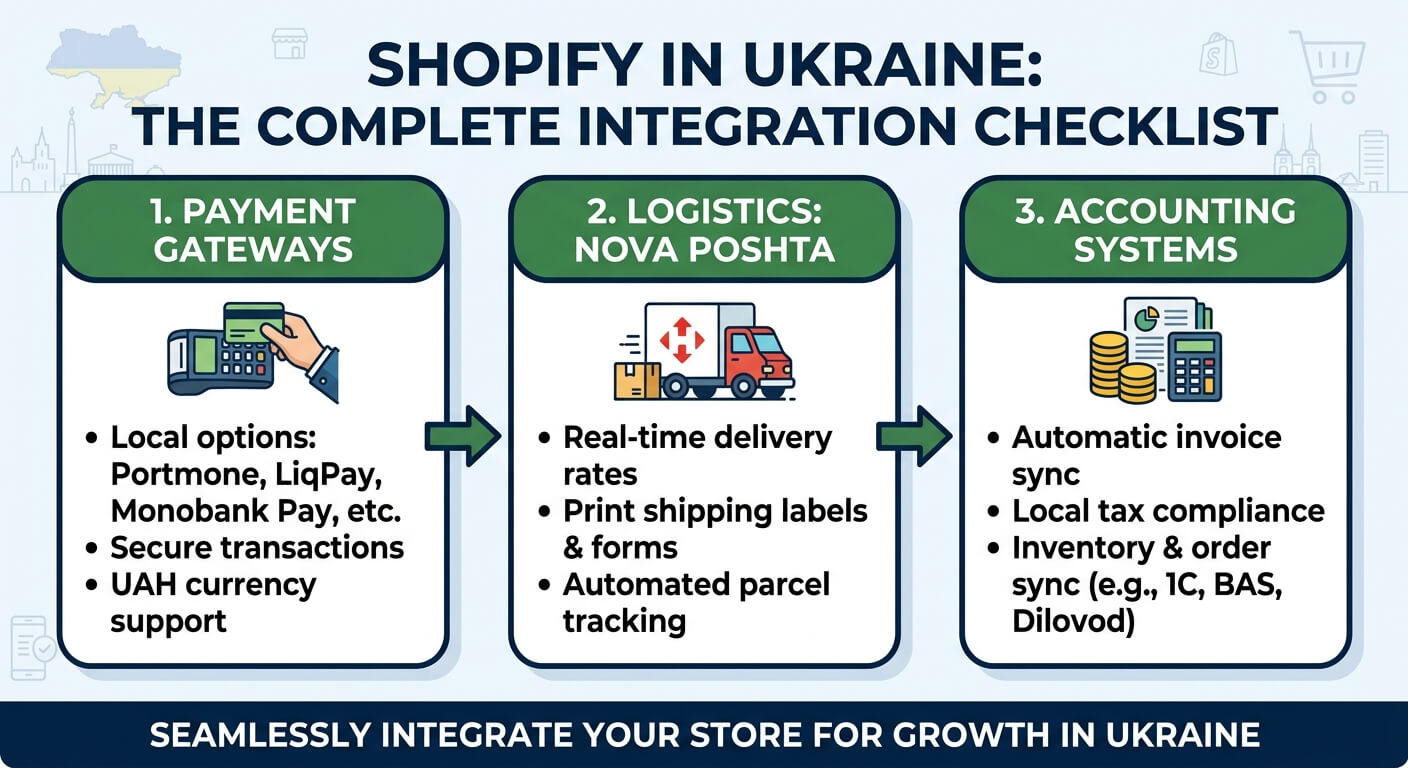
Shopify works well for Ukrainian brands, but out of the box it knows nothing about Nova Poshta, fiscal receipts or Ukrainian payment providers. You can launch a store in a few days, then spend weeks working out why shoppers can't pick a branch and why your accountant is copying orders into BAS by hand.
The 30-second version
- Payments: Shopify Payments isn't available in Ukraine — you need a Ukrainian payment provider that integrates with checkout.
- Delivery: Nova Poshta is connected through an app; it works best when shoppers pick a branch in the cart.
- Receipts: online card payments and cash on delivery require a fiscal receipt (PRRO).
- Accounting: BAS and CRMs connect to Shopify through ready-made connectors or a custom integration.
1. Payments: no Shopify Payments, so what instead?
Shopify's own payment service, Shopify Payments, is only available to businesses based in supported countries. Ukraine isn't one of them, so you need a third-party payment provider.
Providers that work with Ukrainian businesses and integrate with Shopify include:
| Provider | Bank | Notable for |
|---|---|---|
| hutko | PUMB | Built-in PRRO — can issue fiscal receipts itself |
| plata by mono | monobank | Pay from the monobank app, Apple Pay, Google Pay |
| LiqPay | PrivatBank | Familiar to shoppers, instalment payments |
| WayForPay | — | Instalments from monobank and PrivatBank |
Native integration or redirect
What matters more than the provider's name is how it connects:
- Native integration through Shopify's official Payments Apps API. The payment method appears directly in checkout like any other.
- Redirects or home-made bridges. The shopper is sent to the provider's payment page, and a separate script updates the order status.
Why redirects are risky
Every extra step at payment costs conversions, and unofficial setups can stop working after a Shopify update — and you'll hear about it from customers first.
How to choose a provider
- Check where your bank account is. Some providers require a sole-proprietor (FOP) or company account at their own bank.
- List the payment methods you need: Apple Pay, Google Pay, instalments, foreign cards.
- Ask whether there's a built-in PRRO — it makes fiscal receipts much simpler.
- Compare fees directly. Terms vary by volume and card type, so request a current offer rather than relying on figures from articles.
2. Delivery: Nova Poshta in Shopify
The Shopify App Store has several ready-made Nova Poshta apps. The typical feature set:
- choosing a branch, parcel locker or courier;
- creating waybills (TTN) right in the Shopify admin, without switching to the Nova Poshta dashboard;
- automatic delivery status updates on orders;
- shipping cost calculation.
Where the shopper picks a branch
Shopify's checkout can't be freely customised, and on most plans you can't add your own "Branch" field to it. So apps use workarounds:
| Option | When the branch is chosen | Shopper experience |
|---|---|---|
| Cart widget | Before checkout | Best |
| Thank You page | After payment | Fair — easy to miss |
| Field in checkout | During checkout | Good, but usually Shopify Plus only |
Our recommendation
Pick an app with a cart widget: the branch is known before payment, and nobody has to phone the customer to confirm it.
Real-time shipping cost calculation relies on Shopify's third-party calculated shipping rates feature, and whether you have it depends on your plan. If you don't, flat rates or free shipping above a threshold are the simpler route.
3. Fiscal receipts: a PRRO for your online store
This is the step most often forgotten. An online card payment through a payment provider counts as a cash transaction under Ukrainian law, so the buyer must receive a fiscal receipt. The same applies to cash on delivery.
The receipt has to reach the buyer no later than the moment they receive the goods, so it doesn't need to be issued the same second as the payment. But the process must be set up so that no order is left without one.
There are two ways to organise it:
- A payment provider with a built-in PRRO. The receipt is issued automatically at payment — the simplest route.
- A separate PRRO service (for example Checkbox or Vchasno.Kasa), connected through an app or API. More flexible: it can cover both online payments and cash on delivery in one place.
Don't forget refunds
When a customer returns an item, the refund must be fiscalised with a refund receipt too.
Check your setup with an accountant
Fiscal rules depend on your tax group, payment method and delivery setup, and they change from time to time. Check your setup with your accountant before launch.
4. Accounting and CRM: BAS, KeyCRM and others
At a handful of orders a day you can copy them by hand. Beyond that, mistakes creep in: you sell stock you no longer have, accounting can't see payments, and the sales team doesn't know the delivery status.
| Approach | When it fits | Example |
|---|---|---|
| Ready-made connector | Simple data flows | New Shopify order → new deal in the CRM |
| Custom integration | Complex logic, several systems | Stock from BAS by warehouse, payments and refunds into accounting |
Custom integrations use Shopify's Admin API and webhooks. A few rules that will save you trouble:
- One SKU, one product. Sync almost always matches on SKU, so SKUs must be identical across every system.
- One source of truth for stock. Only one system should own stock levels; the others receive them from it.
- Retries must not duplicate data. Webhooks are sometimes delivered twice, and the integration has to handle that.
- Monitoring. If the sync fails overnight, you should know in the morning — not a week later from a customer.
Summary: pre-launch checklist
- Payment provider chosen with native checkout integration.
- Nova Poshta app installed with branch selection in the cart.
- PRRO set up for online payments, cash on delivery and refunds.
- Fiscal setup agreed with your accountant.
- Accounting and CRM connected — with a single source of stock.
Need help with your launch?
We can design this setup around your business and configure it to run without manual work — for a new store or a move from another platform.

Get In Touch
Want to apply this to your store?
Tell us what your Shopify store needs — we'll suggest a solution and estimate the work