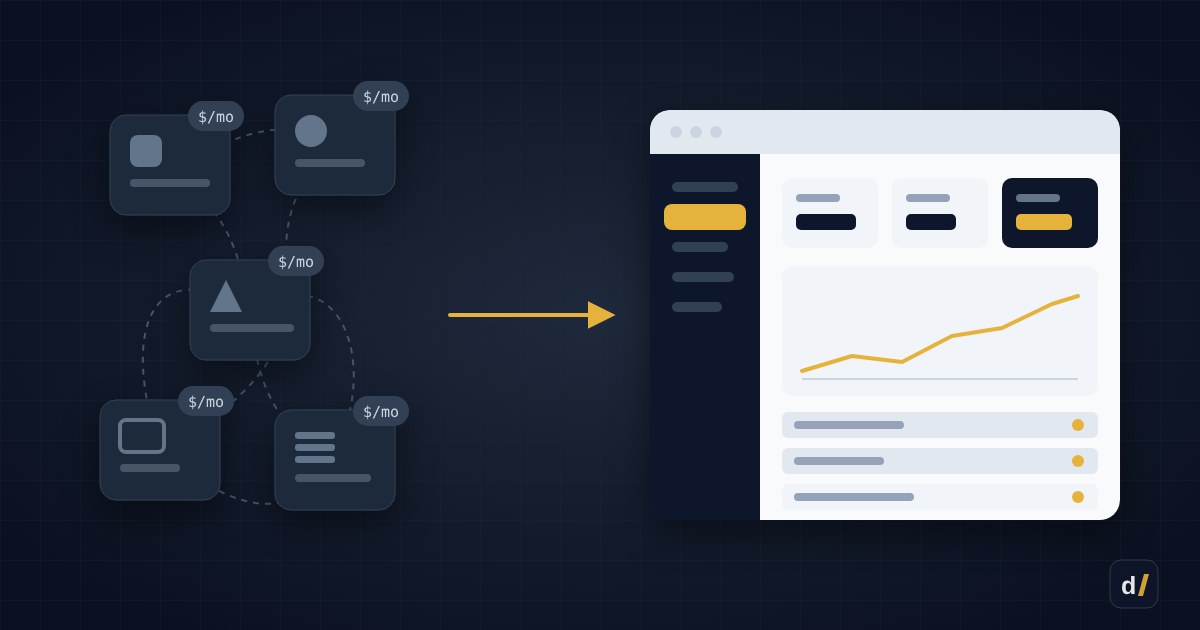
Most companies never chose their software stack — it grew on its own. A CRM for sales, a separate tool for requests, spreadsheets for reports, Zapier to glue it all together, and a few more subscriptions that "came in handy once". Each one is cheap on its own. Together they add up to a serious line in the budget — and the process still runs on manual work.
At some point the question comes up: would it be simpler to build our own web app around the way we actually work? Sometimes that really is the better deal. Sometimes it's an expensive mistake. Here's how to tell the difference.
The 30-second version
- SaaS wins for standard jobs: email, accounting, payroll, customer support.
- A custom app wins when you pay for several tools glued together, pay again for every new hire, and still do a lot by hand.
- Building isn't a one-off cost: budget 15–20% of the build cost per year for maintenance.
- The best start isn't "replace everything" — it's automating the one process that hurts most.
What SaaS really costs
The price on the pricing page is only part of the bill. The rest hides here:
| Cost | What it looks like |
|---|---|
| Per-seat pricing | The bill grows with every new hire, even if they use one feature |
| Upgrading "for one feature" | You need one capability and pay for the whole higher tier |
| Integrations | Zapier, Make or other "glue" between tools, billed per task |
| Manual work | Copying data between systems, reports in spreadsheets, manual checks |
| Vendor lock-in | Prices go up, features change, your data is hard to take with you |
Count hours, not just subscriptions
If someone spends an hour a day moving data from one system to another, that's over 20 hours a month. Manual work, not subscriptions, is often the biggest hidden cost.
6 signs it's time to build
- The bills grow with your team. Per-seat pricing works well for five people and badly for fifty.
- One process lives in three tools. A request arrives through a form, lands in the CRM, and the invoice is created in yet another system — all held together by integrations that break every so often.
- Spreadsheets and copy-paste fill the gaps. If the team regularly copies data from one place to another, the process is asking to be automated.
- The process is your competitive edge. If you work differently from everyone else, a standard tool forces you to work like everyone else.
- You need local integrations. Nova Poshta, Ukrainian fiscal receipts (PRRO), BAS, PrivatBank or monobank — many international tools don't support them, or only through third-party add-ons.
- You've hit the limits. A missing feature, API rate limits, no way to set up permissions or reports the way you need.
If three or more of these sound familiar, it's worth seriously costing out a custom solution.
When to stay with SaaS
- The job is standard. Email, accounting, payroll, video calls, help desk — ready-made tools are better and cheaper than anything you'd build.
- The team is small. For three people, a subscription is almost always cheaper.
- The process is still changing. If you rework how you operate every month, it's too early to automate — stabilise the process first.
- Nobody would own it. A custom app needs an owner: a person or a contractor who looks after it.
Building isn't a one-off cost
A custom app needs hosting, updates, fixes and new features. As a rule of thumb, budget 15–20% of the build cost per year. If that money isn't in the budget, the solution that saves money today becomes a problem tomorrow.
Do the math
Here's a simplified example for a 25-person company (the numbers are illustrative — use your own):
| SaaS | Custom app | |
|---|---|---|
| Subscriptions | 25 users × $40/month = $12,000/year | — |
| Integrations | $1,200/year | Built in |
| Manual work | 10 hours/week ≈ $5,000/year | Almost none |
| Build | — | $20,000 one-off |
| Maintenance | Included | ≈ $3,500/year |
| Total over 3 years | ≈ $55,000 | ≈ $30,500 |
In this example the custom app pays for itself in under a year and a half. But with a five-person team and no manual work, the math flips back to SaaS. That's why you have to run it on your own numbers.
The middle way
Between "everything on SaaS" and "build everything" there are a few in-between options:
- An internal tool on top of your existing services. Keep your accounting and CRM, but build one dashboard that pulls data from them through their APIs and removes the manual work.
- Automation instead of glue. A script or a small service with AI automation in place of a dozen paid integrations.
- An MVP for one process. Replace only the process that hurts most, then look at the results.
The same logic applies to Shopify, by the way: instead of five apps, one custom feature is sometimes simpler — see our Shopify app stack audit.
How to start
- Map the process end to end: who does what, in which system, and where data is moved by hand.
- Add up every cost: subscriptions, integrations, hours of manual work.
- Pick one process that loses the most time or money.
- Build an MVP in 4–8 weeks — for that process only.
- Measure the result after a month or two, then decide what to automate next.
Decision checklist
- Do you pay for 3+ tools to run a single process?
- Do your subscription bills grow with your team?
- Does the team regularly move data by hand?
- Do you need local integrations the tools don't offer?
- Is the process stable, with no big changes planned for the next six months?
- Is there a maintenance budget — 15–20% of the build cost per year?
If the answer to most of these is "yes", a custom app will most likely pay off.
Want to run the numbers on your own stack?
We'll map your process and tools, calculate the payback and suggest the smallest step with the biggest effect. More in web applications.
Get In Touch
Want to apply this to your store?
Tell us what your Shopify store needs — we'll suggest a solution and estimate the work